
SEO for printing companies is the work of putting your print products in front of buyers at the exact moment they search for them, whether that is “same day banner printing near me” or “short run catalog printing”. The honest answer to “what should I do?” is that it depends on how you sell. A walk-in print shop, a B2B commercial printer and a web-to-print store need three different plans. Pick the wrong one and you spend a year ranking for searches that never turn into orders.
Why Do Most Printing Websites Stay Invisible?
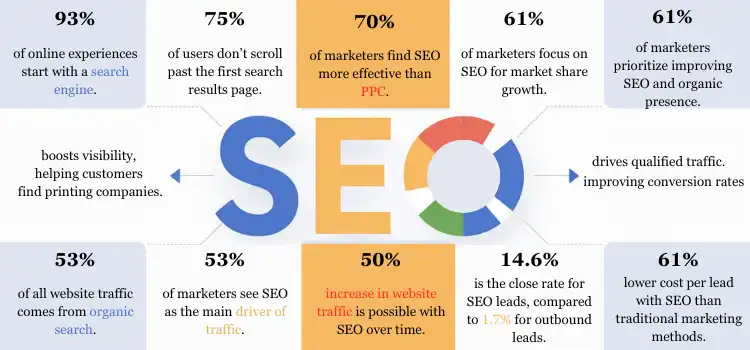
When I audit a print business, I usually find the same site. One page called “Services” lists 40 products in a bullet list. The photos are stock. Every button says “Request a Quote”. There is nothing for Google to rank, because nothing on the site matches a real search.
Print buyers search for products and deadlines, not for “printing services”. They type the thing they need, the quantity, the finish and sometimes the date they need it by. If your site has no page for vinyl banners, no page for saddle-stitched booklets and no turnaround times anywhere, you have already lost that searcher to a competitor who does.
Four Questions That Shape SEO for Printing Companies
Before I touch keywords, I ask every printer the same four things:
- Do customers walk in? If yes, the Google map pack matters more than anything else you do.
- Who signs off on the order? A small-business owner buys differently than a marketing manager or a procurement team.
- Can someone order at a fixed price online? If yes, you are an ecommerce site and product pages drive everything.
- How far do you ship or deliver? Local, regional or national reach changes which keywords are worth chasing.
Your answers put you on one of the three paths below. Plenty of printers sit on two at once. I cover that under edge cases.
Path 1: The Walk-In Print Shop
If people come through your door for business cards, flyers and signs, your first job is the Google Business Profile, not the blog. Google says local results are decided by relevance, distance and popularity, and it states plainly that “there’s no way to request or pay for a better local ranking.” You can’t move your shop closer to searchers. You can make the profile more relevant and more trusted.
Start with the primary category. “Print shop” fits most walk-in businesses. Add secondary categories only for work you actually do, such as “Digital printer”, “Sign shop” or “Screen printer”. Then fill the services list product by product, upload photos of your real presses, counter and finished jobs, and keep your hours accurate, including holiday changes.
Printers local SEO also lives or dies on consistency. Your shop name, address and phone number should match exactly across the profile, your website footer, Yelp, Bing Places and your chamber listing. I still find shops with an old suite number on half their listings, years after they moved.
Reviews carry more weight than most owners expect. BrightLocal’s 2026 consumer survey found 68% of people won’t use a business below four stars, and 45% now ask ChatGPT or similar tools for local recommendations. Those AI answers lean on the same reviews and listings. Ask every happy customer, reply to every review, and never offer a discount in exchange for one, because Google’s policy bans incentivized reviews outright.
If you have one location, build one strong homepage plus a page per core product. If you have two or more locations, give each its own profile and its own location page with that shop’s address, staff and photos. My local SEO checklist walks through the citation and NAP side step by step.
Path 2: The B2B Commercial Printer
Commercial print buyers rarely search “printer near me”. They search capabilities: “direct mail printing services”, “perfect bound book printing” or “packaging printing company”. They compare three or four suppliers, download spec sheets and send RFQs. Your site has to answer procurement questions before a salesperson ever gets the call.
Build one page per capability. Each one should list the presses or processes used, paper stocks, binding options, minimum runs, typical turnaround in days, file requirements and a photo of a real finished job. Honestly, spec detail is the content your competitors skip. Then add industry pages (print for schools, for restaurants, for publishers) only where you have genuine jobs to show.
Proof matters to this buyer. If you hold a color-management qualification like G7 or FSC chain-of-custody certification for paper, put it on the capability pages with the certificate number, not buried on an About page. A procurement manager comparing four suppliers will shortlist the one whose claims they can check in two minutes.
Content is where commercial printers can pull ahead. File-prep guides, bleed and color setup explainers and “offset vs digital for 5,000 brochures” comparisons attract designers and marketing managers, who are exactly the people who pick print suppliers.
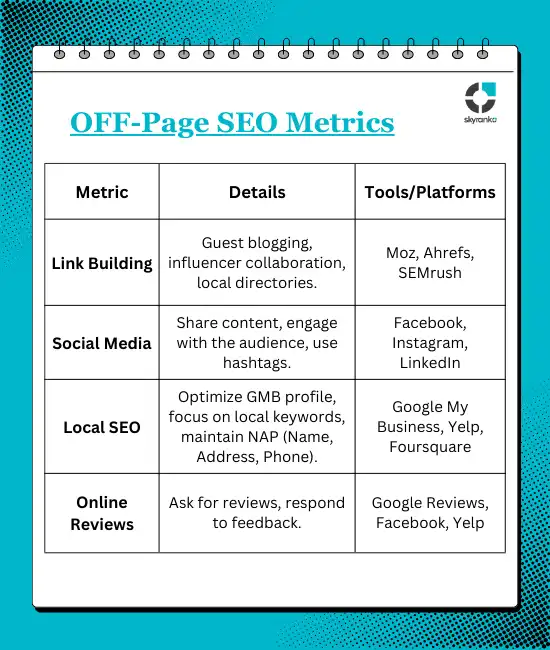
Links for this path come from real relationships: paper suppliers who feature customers, trade associations, local chambers of commerce, clients who credit their printer. Skip anything that looks like a link scheme. It isn’t worth the risk.
Path 3: The Web-to-Print Store
If customers can pick “500 business cards, 16pt matte, rounded corners” and pay at checkout, you run an ecommerce site. Product pages now do the heavy lifting. Each one needs a unique description, clear pricing, real product photos, turnaround and shipping times, and Product structured data so Google can show price and availability.
The trap here is variants. Paper, size, finish and quantity multiply into thousands of URLs, and I have seen web-to-print sites where Google indexed more filter combinations than real products. Keep one indexable URL per product, handle options on the page, and point variant URLs back to the main product with a canonical tag. I go deeper on this in my guide to product page SEO.
Speed matters more on this path because buyers upload files and configure jobs. Google’s Core Web Vitals targets are an LCP of 2.5 seconds or less, INP of 200 milliseconds or less and CLS of 0.1 or less, measured at the 75th percentile of page loads. Product configurators built on heavy JavaScript fail INP more often than anything else I test, and when PageSpeed Insights shows a failed assessment, I start by finding the one metric and device behind it, as I explain in Core Web Vitals assessment failed.
What Keywords Should a Printing Company Target?
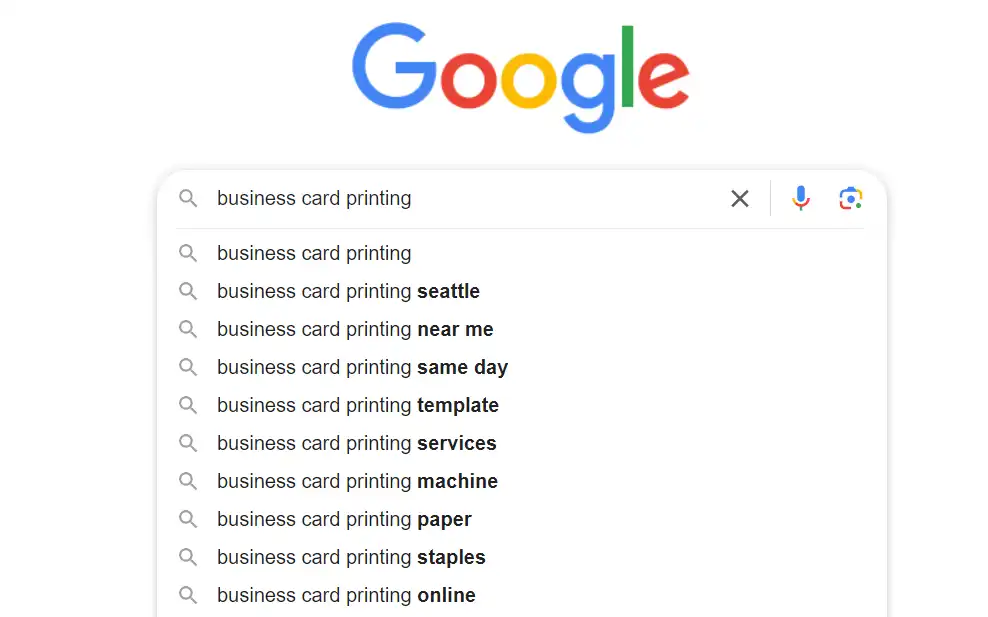
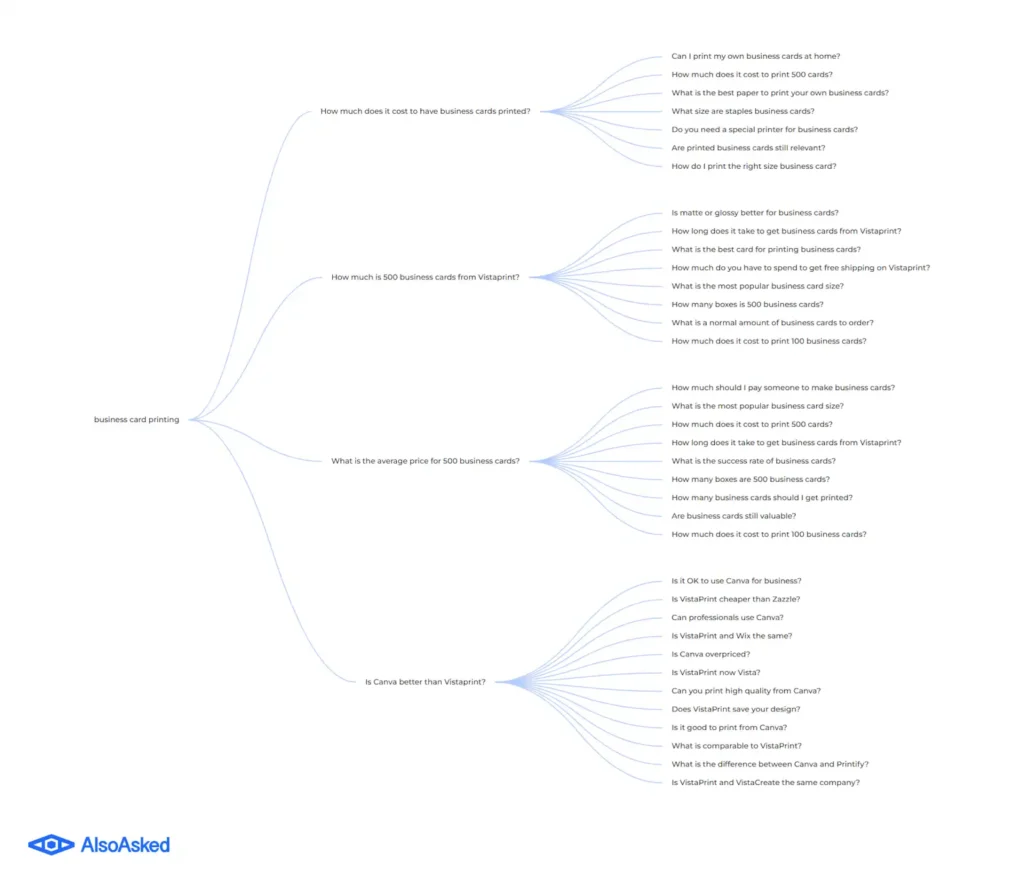
Start free. Type your products into Google and write down every autocomplete suggestion, then check the “People also ask” box for the questions buyers have before they order. Those questions become FAQ answers on product pages and topics for your blog.
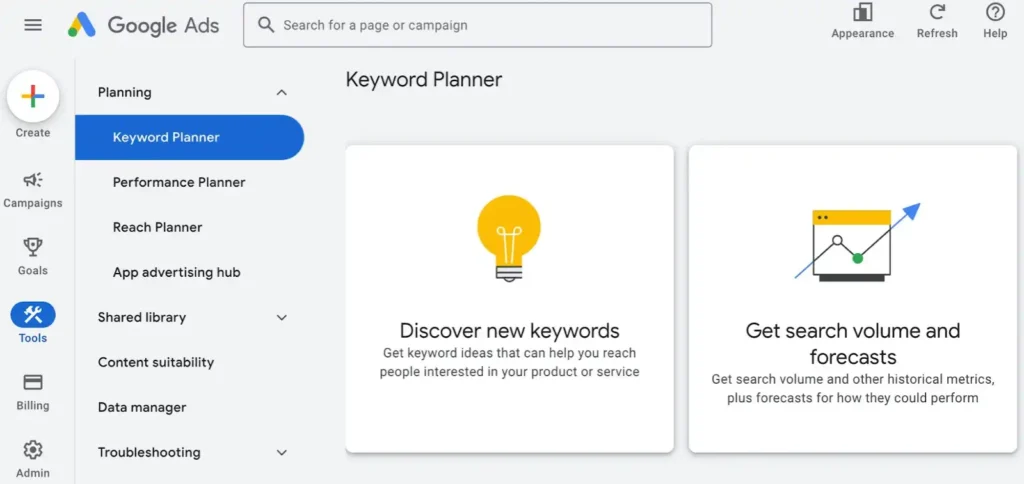
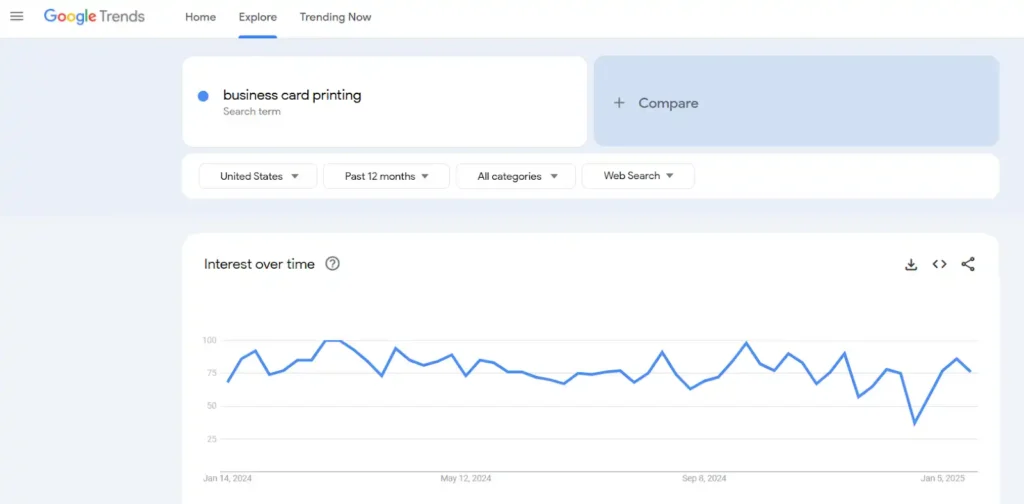
Next, Google Keyword Planner gives rough volumes and bid prices. High bids tell you which products advertisers find profitable, which is a decent proxy for which pages deserve your effort first. Google Trends shows seasonality, which matters a lot in print: graduation, election, holiday and trade-show seasons all spike different products.
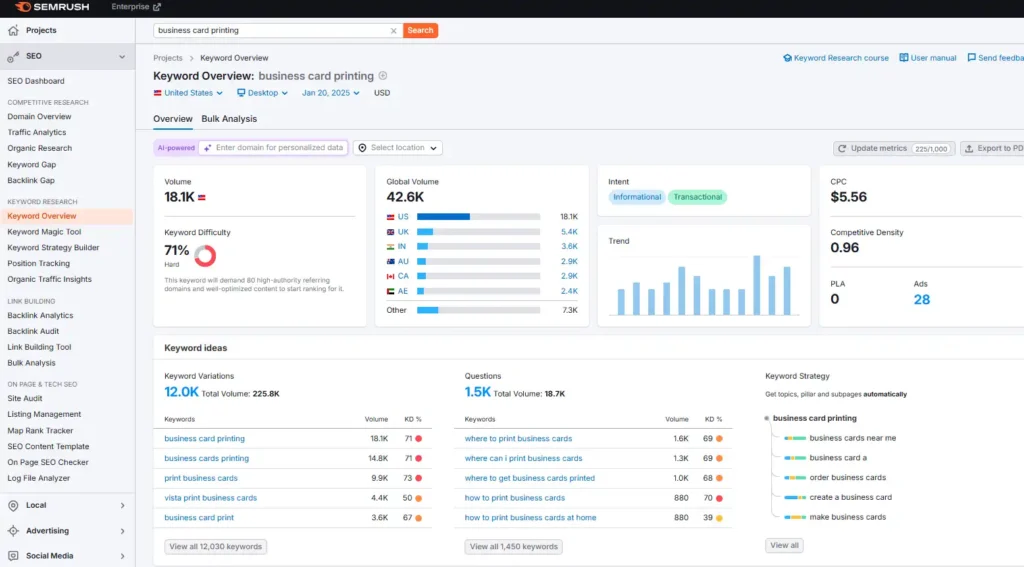
Paid tools add competitor data. Keywords Everywhere shows volume inside the search results, while Semrush and Ahrefs reveal which keywords your competitors’ pages already rank for.

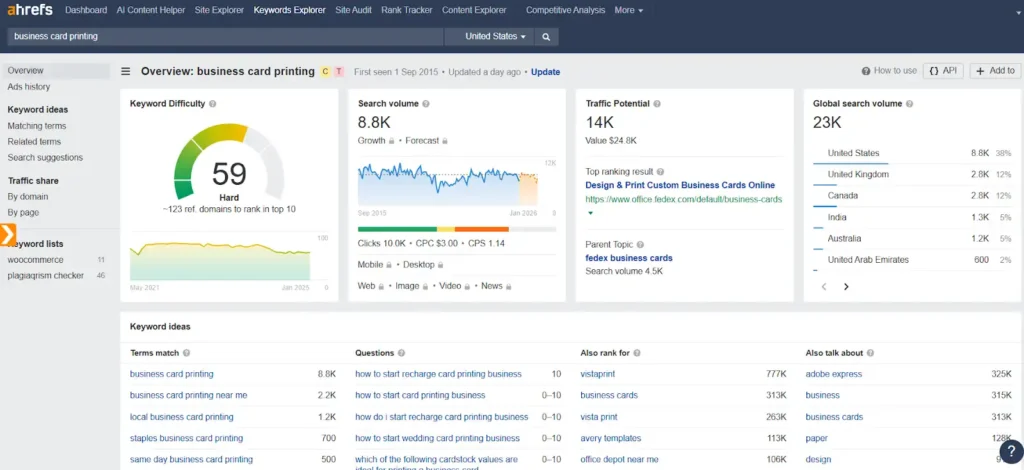
One warning about “seo for printers” style research. The word “printer” also means the machine on your desk, so many printer keywords are full of people shopping for hardware or ink. Always check the live results before you build a page around a term.
| Search intent | Example query | Page that should rank |
|---|---|---|
| Local, urgent | “same day flyer printing near me” | Google Business Profile + flyer page |
| Product, national | “custom stickers printing online” | Web-to-print product page |
| Capability, B2B | “short run book printing company” | Capability page with specs |
| Research | “offset vs digital printing cost” | Blog guide that links to capability pages |
The Foundation Every Printer Needs
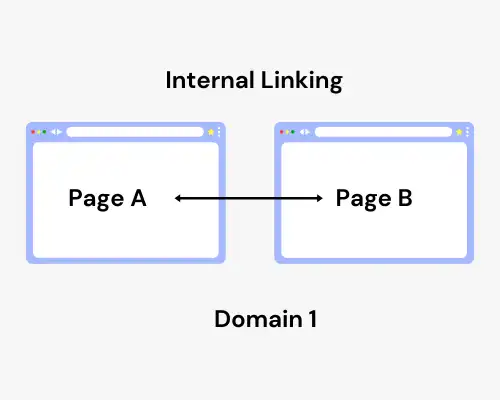
Some work applies on every path. Each page gets one clear title under 60 characters with the product and, for local shops, the city. Each product or capability links to related ones, so a banner page points to stands and yard signs.
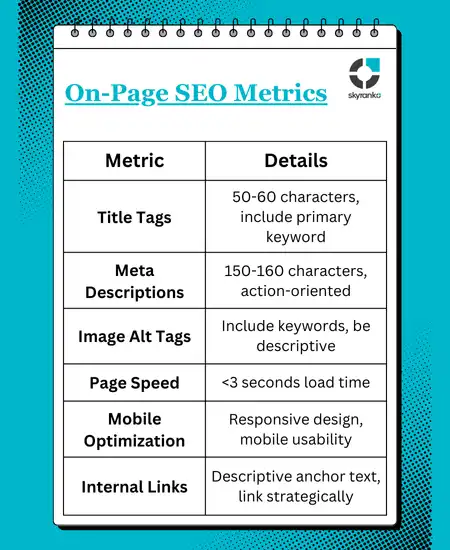
Most print searches happen on phones, especially the urgent local ones. Test your quote form and file upload on a real phone, not just a desktop preview.
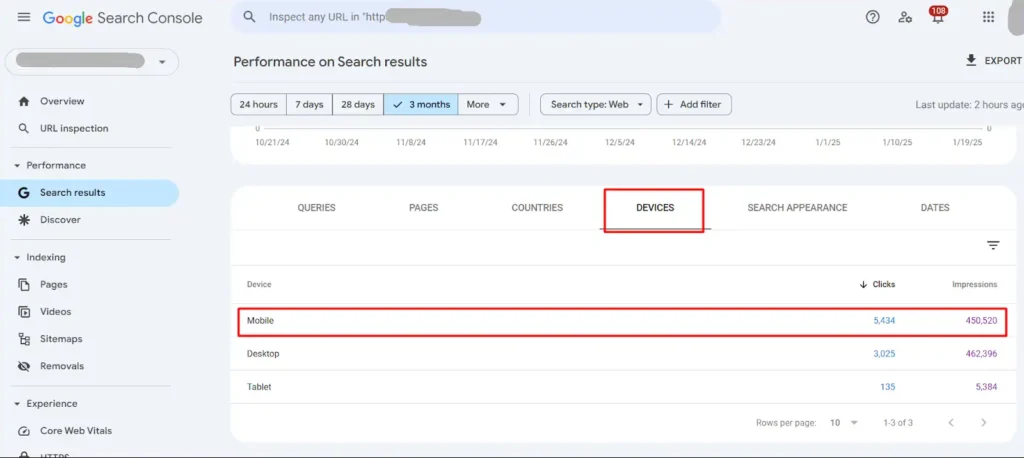
Then measure. Google Search Console shows which queries already bring impressions, and it keeps 16 months of data, enough to compare this year’s graduation season with last year’s. Google Analytics shows which pages turn visits into quote requests or orders.
Set quote-form submissions, file uploads and phone clicks as key events in GA4 (Google renamed conversions to key events in 2024). Rankings are a vanity number for a printer. What you want to know is which product pages send jobs, so you can build more pages like them and stop writing about products that never sell.
Edge Cases I See in Print SEO
- Hybrid shops (walk-in plus online ordering): run Path 1 for the profile and Path 3 for the store, but never let a local landing page and a product page target the same query.
- Trade-only printers: if you only sell to other printers, rank for “trade printing” and “wholesale printing” terms and keep retail keywords off the site.
- Home-based or virtual-office printers: Google does not allow a Business Profile at a virtual office or remote mailbox. If customers can’t visit, set up as a service-area business with the address hidden.
- Promotional product resellers: if you outsource the printing, don’t claim equipment you don’t own. Buyers ask, and reviewers will say so.
Print SEO at a Glance: Which Path Gets Your Effort
| If you sell mainly… | And buyers are… | Then put your effort into |
|---|---|---|
| Over the counter | Local consumers and small businesses | Business Profile, reviews, one page per product |
| Through RFQs | Marketing and procurement teams | Capability pages with specs, guides, relationship links |
| Online at fixed prices | Anyone who ships to your region | Product pages, Product schema, variant control, speed |
| Both counter and online | Mixed | Profile for local, store for national, no overlap |
Where Do Printing Company SEO Services Fit?
A small shop can do most of Path 1 alone in a few weekends. Where outside help pays off is the stuff that is easy to get wrong: variant URLs on a web-to-print platform, a site migration from an old catalog system, or a content plan that needs steady writing for 6–12 months. Before you hire anyone, ask what they will do in month one and how they will report quote requests, not just rankings.
If you’d rather hand it over, my team runs complete SEO for printing businesses, starting with a free audit of what your site already ranks for.
For platform-level problems, like a web-to-print system that generates duplicate URLs you can’t control, bring in the platform’s own developer along with a technical SEO specialist. Plugins won’t fix that.
Frequently Asked Questions
How Long Does SEO Take for a Print Shop?
For a local shop with a thin profile, profile and review fixes often show in map results within 2–3 months. Organic rankings for product pages usually take 4–6 months, and competitive national terms like “business cards online” can take a year or more against the big web-to-print brands.
Is SEO for Printers Different From SEO for Other Local Businesses?
The local basics are the same. The difference is the product catalog. Most local businesses need 5–10 pages, while a printer may need 30 or more product and capability pages, each with specs, turnaround times and real photos.
Should a Printing Company Publish Prices?
If you sell standard products, yes. Pages with starting prices answer the buyer’s first question and give Google concrete content to show. For custom commercial work, publish price ranges or example jobs instead of a single number.
Do Printing Companies Need a Blog?
Commercial and web-to-print businesses benefit most, because file-setup guides and material comparisons attract designers and buyers. A small walk-in shop gets more from product pages and reviews first, then a few guides later.
Last updated: September 2026 by Mizanur Rahman


